Operator Console Best Practices
An operator console is the set of components and mechanisms used by the drive team to relay commands to the robot. See Driver Station Components.
At a minimum this includes:
A driver station consisting of a REV Driver Hub (or Android device) running the Driver Station App.
One or two gamepads with a wired USB connection connected to the driver station.
See section 12.9 Operator Console in the Robot Construction Rules chapter of the Competition Manual for relevant rules. There are other rules in the Competition Manual related to using an operator console at the field. This includes, but is not limited to:
Bring your operator console to Inspection at a competition, it must comply with safety and fair play rules.
The driver station touch screen must be visible and able to be touched.
The only permitted wireless connection from an operator console is from the driver station to the robot.
Additional console components can include:
An actual tray or similar item that holds the other components.
Fasteners are allowed so that the components can’t move around or fall off. You can find design files suitable for 3D Printing on Thingiverse. This includes component holders for driver station components and even entire operator consoles such as this Driver Station Carrier.
Decorations such a team name, team number, and team branding.
A USB power bank and a USB cable that connects the power bank to the USB-C port of the REV Driver Hub. The REV Driver Hub can kept fully charged even with gamepads connected. Some gamepads are rechargeable and are known not to work well unless well charged. A USB powerbank can help keep them charged while not significantly depleting the internal battery in the Driver Hub.
Short USB extension cables. These can reduce wear and tear on the REV Driver Hub USB ports. When the extension cables are secured to the console, this protects the REV Driver Hub in the situation where the hub is on the floor, and the gamepad operator raises the gamepad enough to lift the hub off the floor. Securing the cables to the console also reduces the likelihood of USB disconnects.
A ferrite cable clip attached near the connector of the gamepad USB cable will reduce electrical signal interference from the gamepad that may cause the Driver Station to receive incorrect gamepad inputs. Most likely this would be due to static electricity coming from the field.
For driver stations using an Android device, a OTG adapter is required to connect one gamepad. Add a USB hub in order to connect two gamepads (or use a USB hub with OTG included such as the REV UltraHUB Hub). The hub may also be powered by a USB power bank.
A physical operator console can provide the following benefits.
It allows the team to store, organize and transport the driver station to and from the competition field.
By keeping all the driver station components together, there is less chance of forgetting something when showing up at the field for a match, and setup at the field should be faster.
Having the REV Driver Hub secured to the console may protect the hub from physical damage. Hubs can be accidentally dropped during transport, or knocked off of a competition-provided stand onto the floor during match play.
Here are some examples of operator consoles.
Simple Tray
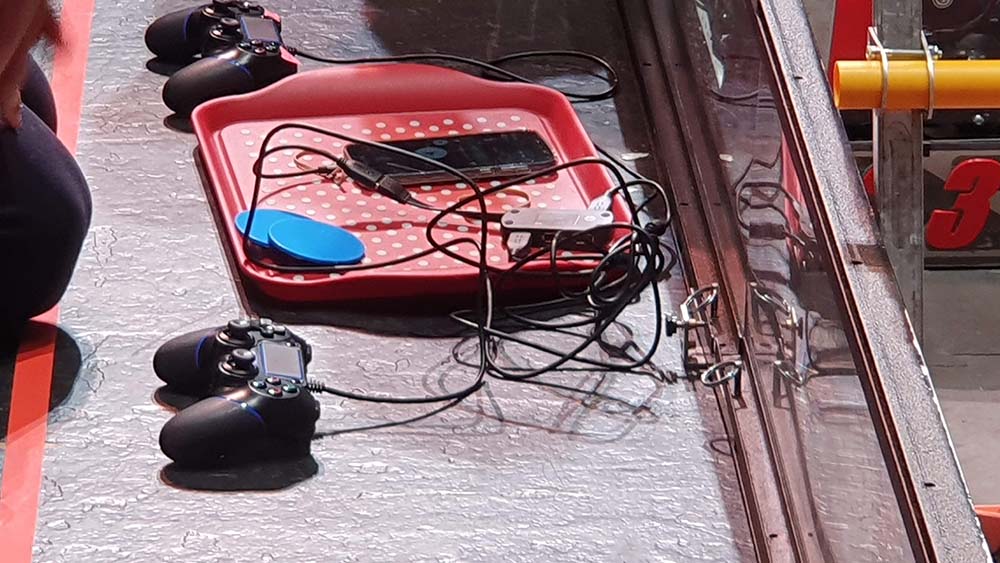
A Custom Tray
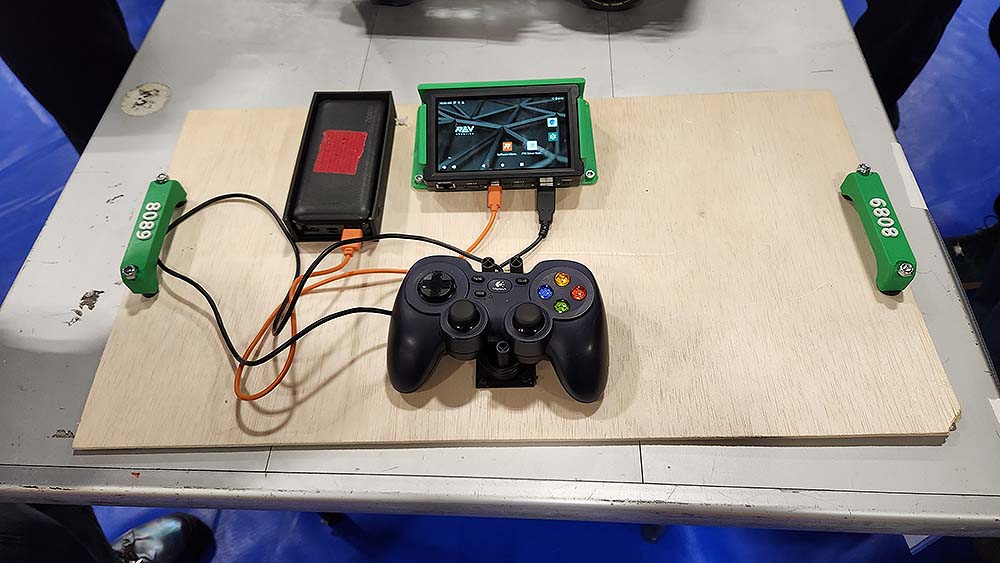
Operator Console for a Phone
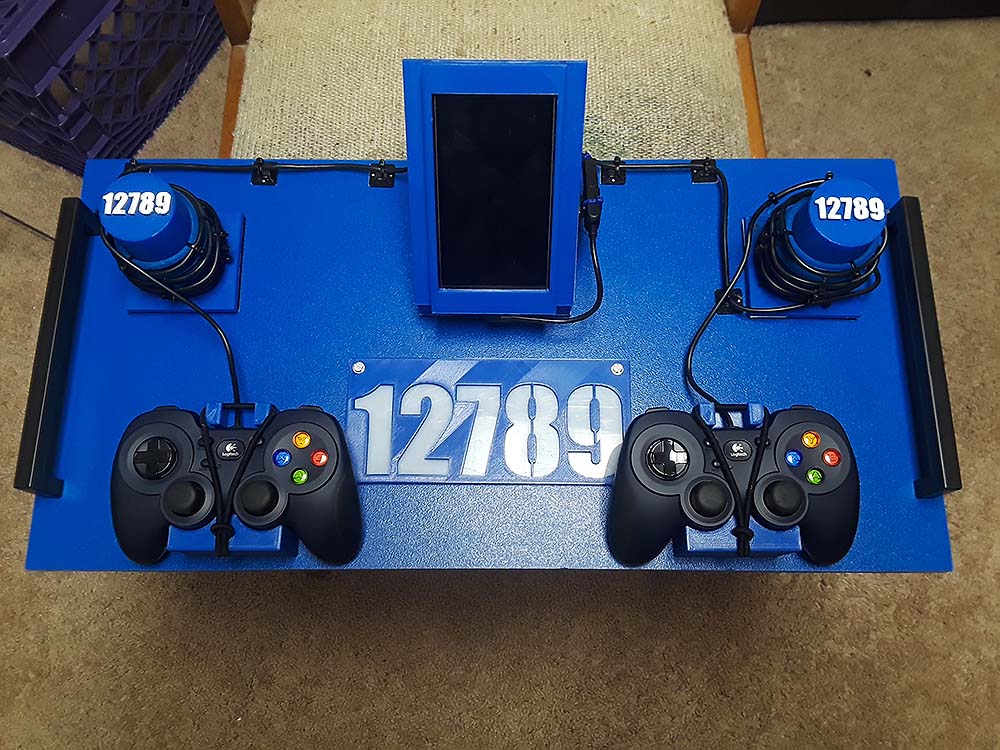
Operator Console for a Driver Hub
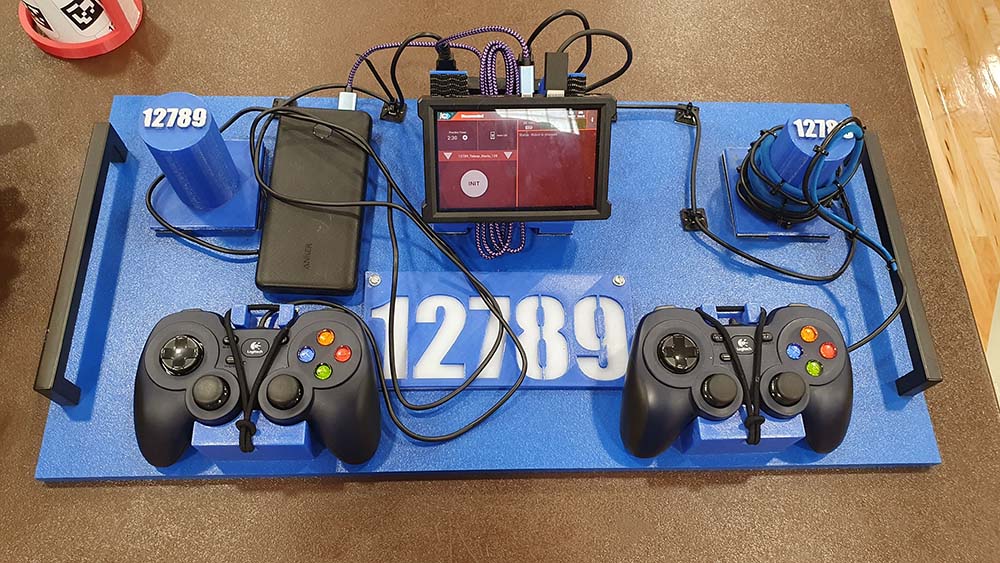
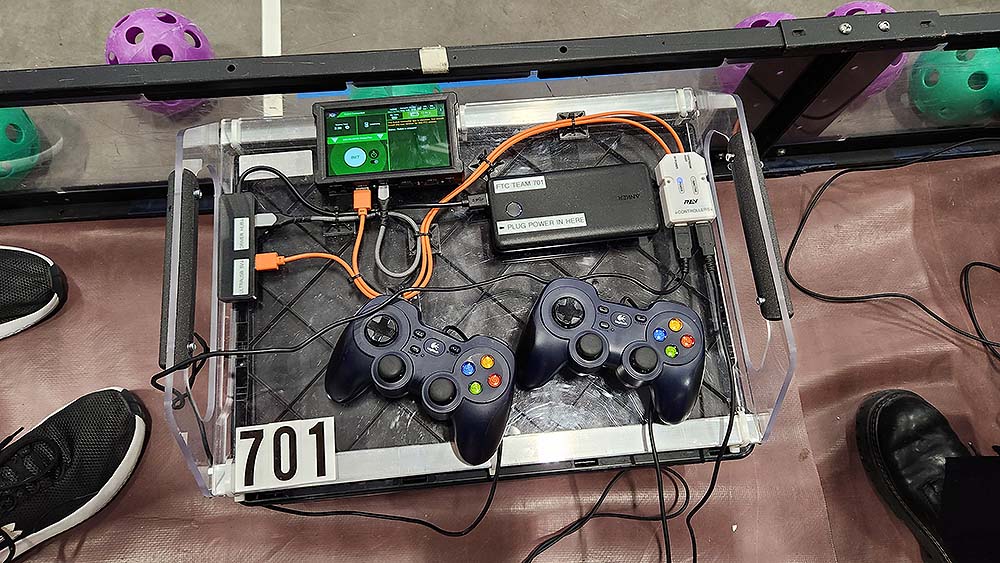
An Advanced Tray
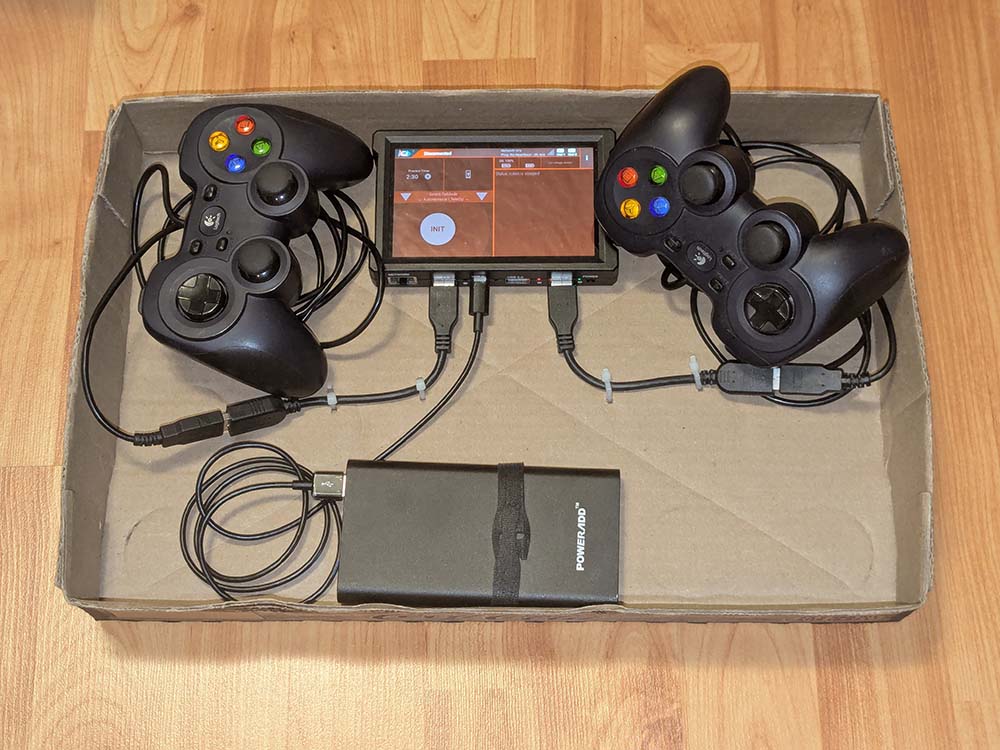
Budget Operator Console
Note
1 - A USB powerbank will keep a REV Driver Hub battery charged. It also slows or prevents battery drain from connected gamepads. Rechargeable gamepads that are connected to the REV Driver Hub can be kept fully charged as well.
Note
2 - The advanced tray might be ideal for rechargeable gamepads. The USB powerbank supplies power directly to the gamepads and the REV Driver Hub. A REV UltraUSB hub is not required, but UltraUSB hubs do have an advantage in that you can replace damaged cables without replacing the hub.
Tip
None of the above examples show ferrite cable clips on the USB gamepad cables. However these are still recommended as they would reduce electrical noise from static electricity buildup on the field that might interfere with gamepad inputs.