Utility OpModes
Starting with version 11.2 of the FIRST Tech Challenge SDK, Utility OpMode programs are available to help test and troubleshoot your robot. Utility OpModes can be run from the Driver Station App. This category of OpMode is for OpModes that are not meant for competition, and thus shouldn’t clutter the AUTO or TELEOP menus, but instead are OpModes that your team would use for maintenance or “utility” needs.
These OpModes reside in the Settings menu, and are accessed by selecting “Utility OpModes” in the menu. There are two built-in Utility OpModes:
Test Hardware - Test the hardware in your configuration.
Test Gamepad - Test your gamepad to ensure all buttons, triggers, and stick axes work properly.
Teams can also create their own Utility OpModes by using the @Utility
annotation in Java, or by selecting Utility as the OpMode type in Blocks.
@Utility(name="Cool Utility", description="Brief Description")
public class MyUtilityOpMode extends OpMode {
    // Your code here
}

Creating a Utility OpMode in Blocks
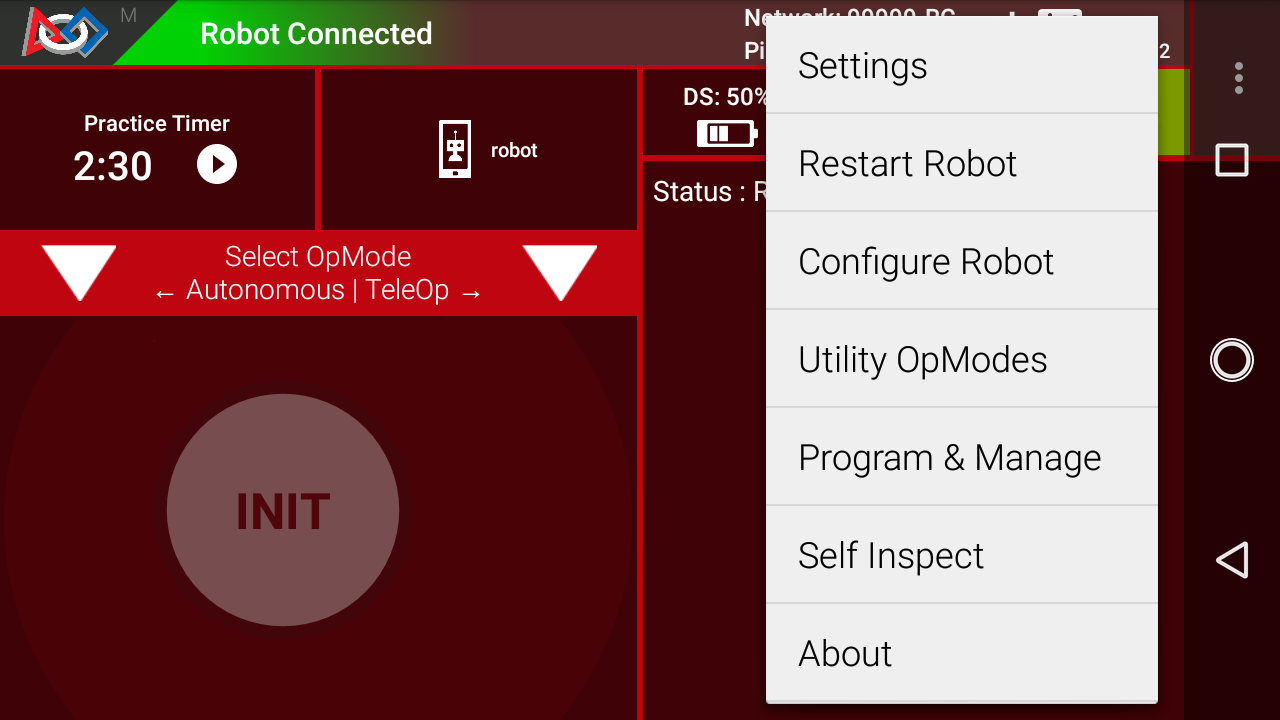
Accessing the Utility OpModes via the Settings Menu
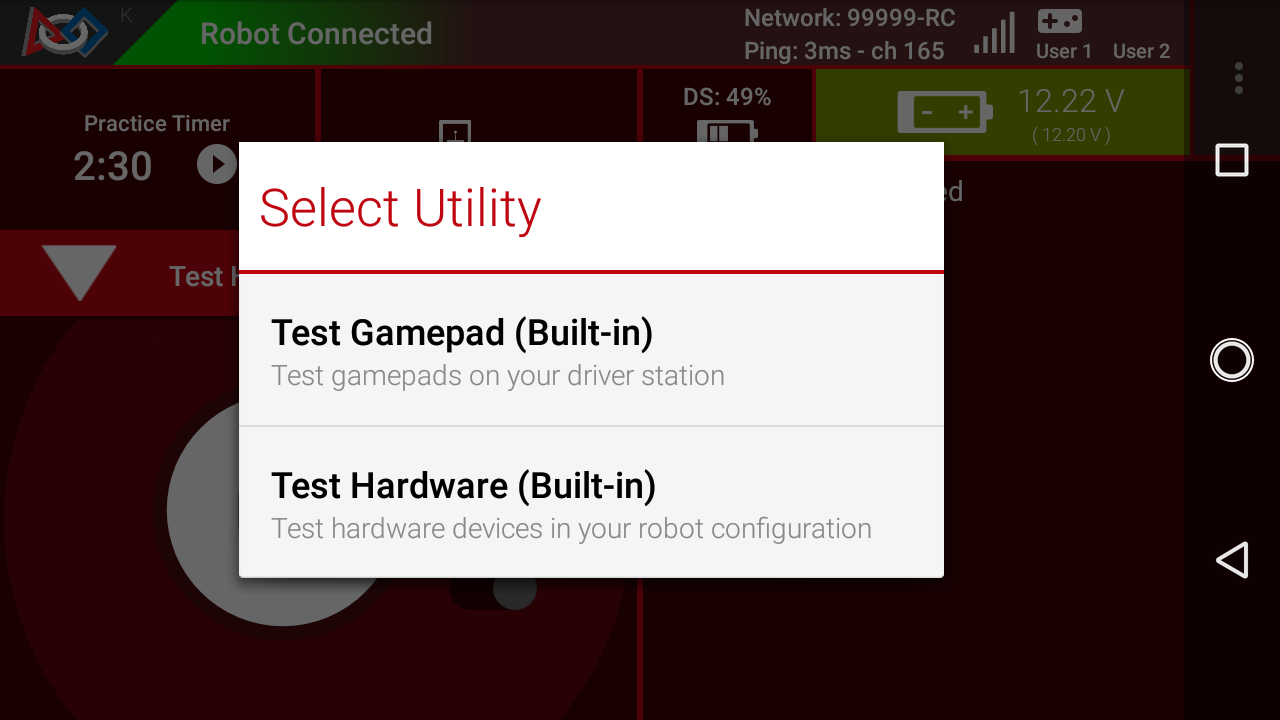
Accessing the list of Utility OpModes